

5 Signs Your Startup’s Backend Can’t Support the AI Automation You Want
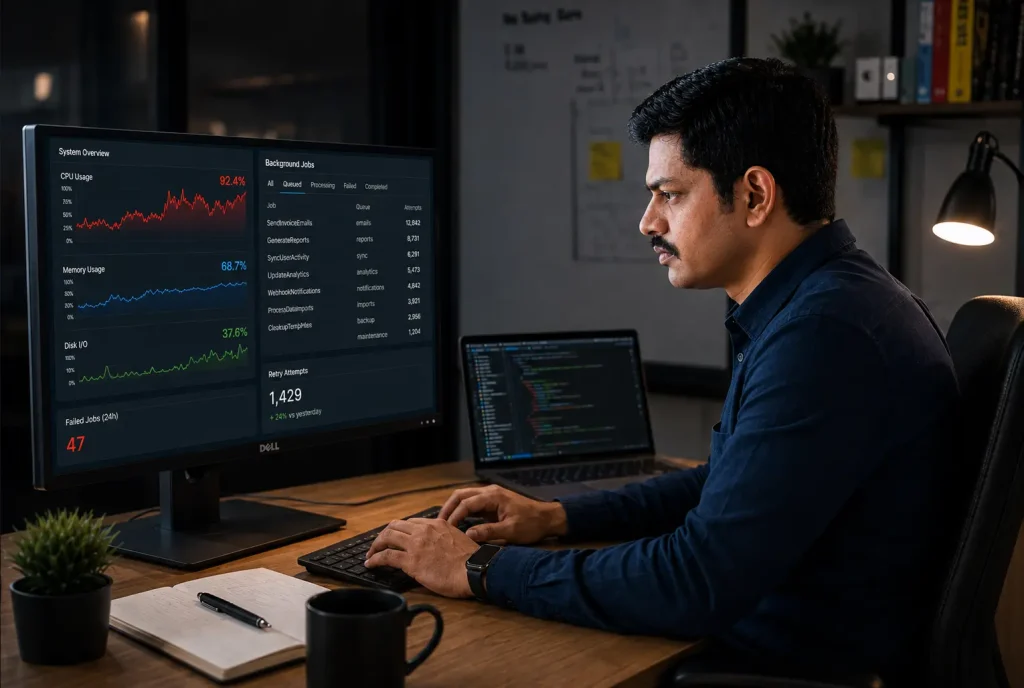
A founder wrote to me last year about an AI agent he had built for his support inbox. It was supposed to read a customer email and draft a reply using that customer’s order history. In testing it behaved well. Once it went live, it started timing out on roughly every third email, and the model had nothing to do with it. The query that pulled order history was taking eleven seconds to finish, and his app had no way to wait that long for anything.
Gartner predicts that over 40% of agentic AI projects will be canceled by the end of 2027, for reasons like escalating costs and unclear business value, according to Gartner’s June 2025 press release (retrieved 2026-08-22). Those are the words that go into the board deck. What I see on the ground is usually plainer than that. The backend was never built to carry this kind of work, and by the time somebody says it out loud, most of the budget is gone.
I am Prashant Singh. I build backends and AI automation for startups, and a fair share of my work is repairing systems that had automation bolted on before they were ready for it. These are the five signs I look for in the first hour of any such project. If two of them describe your app, the automation you are planning will land on a backend that cannot hold it.
Key Takeaways
- AI automation lands on whichever part of your backend was already the slowest, so your weakest piece is the one that breaks first.
- Gartner expects over 40% of agentic AI projects to be canceled by the end of 2027 (Gartner, June 2025).
- Nearly 60% of AI leaders name integration with legacy systems as a primary challenge in adopting agentic AI (Deloitte, September 2025).
- The five signs: no job queue, no API a machine can call, a database that is already slow, background jobs that fail silently, and business data scattered across tools that disagree with each other.
- Fixing the queue and the slow queries first costs a fraction of what it costs to build the automation twice.
What Does It Mean When a Backend Cannot Support AI Automation?
A backend cannot support AI automation when it has nowhere to put work that is slow and unpredictable in volume. A single model call takes anywhere from two to thirty seconds. It fails halfway through. It gets retried. A system designed only for quick page loads and form submissions has no home for that kind of work, so it shoves it into the user’s request and hopes for the best.
This is the part founders tend to underestimate. Adding automation feels like adding one more feature to the roadmap. In practice you are putting a second kind of user on your system, one that never sleeps and does not give up when the page is slow.
Nearly 60% of AI leaders point to integration with legacy systems as a primary challenge when adopting agentic AI, according to Deloitte’s AI adoption pulse check published 15 September 2025 (retrieved 2026-08-22). Legacy in that sentence covers a lot of ground. A Laravel app written in 2023, with all its business rules sitting inside controllers, counts as legacy for this purpose.
Modern stack or old stack, the question stays the same. Can something other than a browser use your app safely, at a volume you did not plan for?
Sign 1: Everything Runs Inside the Request Cycle
If your app has no job queue, every AI call has to finish inside the HTTP request that started it. PHP and Node both give up somewhere between thirty and sixty seconds by default. An AI workflow that chains two model calls and one API lookup will cross that line often enough to make your automation look broken to the person using it.
This one is easy to check. Open your codebase and search for where you call the model. If that call sits inside a controller method that returns a response to the browser, you have found it.
I ran into a version of this on Let’s Calendar, a bulk calendar invite product I built. Contact import ran inside the request. At around 5,000 contacts the import would time out at about fifteen minutes, and the user had no idea whether it had worked or not. I moved the import into chunked background jobs. The same server then handled 101,096 contacts in under a minute, and it held past 500,000 in testing.
The server stayed the same size through all of it. All I did was move the slow work out of the place where somebody had to sit and wait for it. On Laravel this is queue workers kept alive by Supervisor, and I have written up that exact setup on AWS EC2 if you want to hand it to your developer.
Sign 2: Can Anything Reach Your App Without Going Through a Screen?
AI automation needs a way into your system that is not the login page. If your business rules live inside controllers wired directly to forms, an agent has nothing to call. It can drive a headless browser and click your buttons, which works until the day somebody moves a button.
MuleSoft’s 2026 Connectivity Benchmark Report, based on a survey of 1,050 IT leaders, found that 86% worry AI agents will add more complexity than value unless the integration layer underneath them is sorted out first, and that the average enterprise in the survey was already running twelve agents, per MuleSoft’s 2026 Connectivity Benchmark Report (retrieved 2026-08-22).
On AMRIOP, a digital receipt product I built, this was the whole design question. The app had to fetch and categorise receipts from a user’s mailbox without anyone clicking anything. That worked because mailbox permission was granted once at signup through SSO, and everything after that ran through the API. Manual steps per receipt went from four or five down to zero. The same principle shows up in smaller pieces of work too, like reading and filtering mail through the Microsoft Graph API or wiring Google Calendar into a Laravel app.
For most startups this is a smaller piece of work than it sounds. Your core logic has to sit somewhere a background process can call it, behind authentication that works without a human being present.

Sign 3: Is Your Database Already Slow Before AI Touches It?
Automation reads and writes far more than people do. A workflow that fires on every order will hit your database hundreds of times a day with no human involved at all. If your queries are already slow at human speed, automation turns a slow page into a server that stops responding.
ArcticBlue is an Australian e-commerce client whose platform I rebuilt on Laravel. Before the rebuild, average server CPU sat near 60% and spiked to 100%, which took the site down during business hours. Load average hovered around 5.0. I put in a properly indexed data layer, reworked the query paths, and blocked bots at the edge. CPU came down to about 5% and load average to 0.4, on the same instance with no capacity upgrade.
Most of that came from indexes and from killing N+1 queries, which is the most common performance bug I find in Laravel and Node apps alike. I have written a separate walkthrough on spotting N+1 queries and fixing them with eager loading, and it is a good first afternoon of work for any team.
About 73% of organisations said performance constraints had held back their operational initiatives, and roughly 80% said limited data access across environments was constraining their AI and data work, according to Cloudera’s Data Readiness Index, published 14 April 2026 (retrieved 2026-08-22).
Run your slow query log for one week before you commission any automation work. It will tell you more about your readiness than any vendor demo.
Sign 4: How Long Before You Find Out a Job Failed?
Automation fails quietly. A person notices when a screen breaks and complains within the hour. A background job that dies at 2am leaves no complaint behind, and you learn about it when a customer asks why nobody replied to them last Tuesday.
Quality was the top barrier to getting agents into production at 32%, with latency second at 20%, according to LangChain’s State of Agent Engineering 2026 (retrieved 2026-08-22). Both of those are invisible without instrumentation. The same report found 89% of teams had put some observability on their agents, while only 62% had detailed tracing on individual steps and tool calls.
There is a related problem with the code itself. Stack Overflow’s 2025 Developer Survey found the biggest single frustration among developers was AI output that is almost right but not quite, at 66%, with time spent debugging AI-generated code close behind at 45%, per the 2025 Stack Overflow Developer Survey (retrieved 2026-08-22). Almost-right code inside an unmonitored background job is how you get three weeks of quietly wrong invoices.
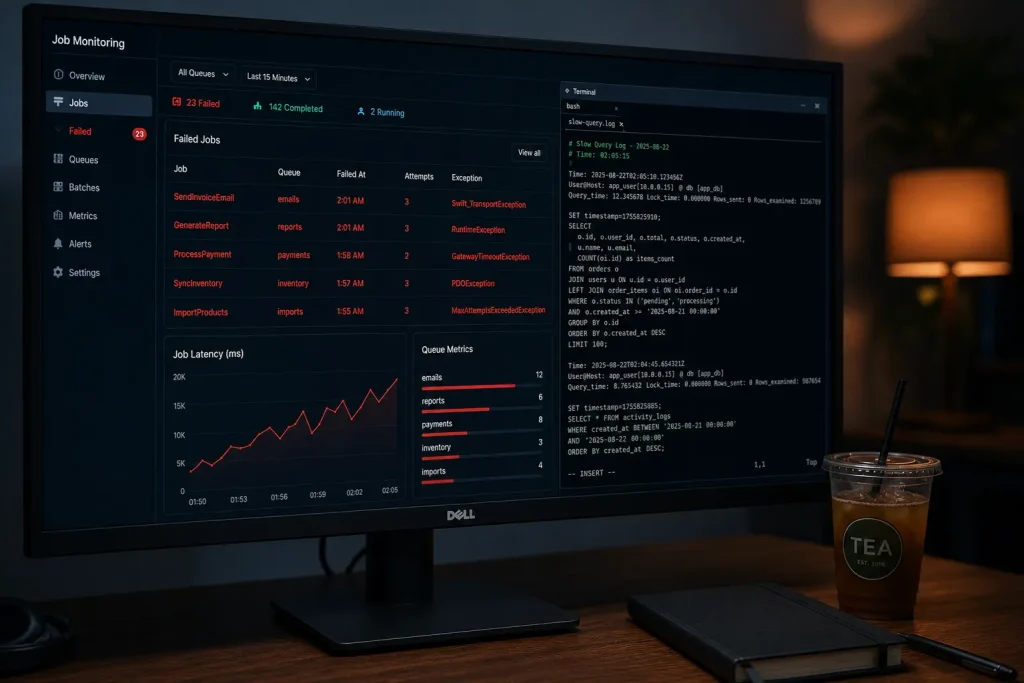
Ask yourself a plain question. If your automation stopped working right now, what would tell you, and how soon? Logging, retries with backoff, a dead letter queue for jobs that keep failing, and an alert that reaches a human being. That is the minimum. It is unglamorous work and it usually takes about a week.
Sign 5: Four Tools, Four Versions of the Truth
If your customer data lives in a CRM, your billing sits in a second tool, and your operations team maintains a spreadsheet that quietly overrides both, your automation has no reliable input. An agent that reads the wrong version of a record will act on it with complete confidence and no hesitation whatsoever.
Only 18% of organisations had fully governed data across the organisation, while 71% said most of their data was governed, according to Cloudera’s April 2026 Data Readiness Index (retrieved 2026-08-22). That gap between most and all is where automation goes wrong, because the ungoverned slice usually turns out to be the one your workflows touch every day.
At Manomay Informatics I connected Zapier and OpenAI’s API across a client’s calendar, CRM and messaging tools, and manual operations dropped by 80%. The AI piece was the smaller half of that job. Most of the gain came from a backend layer that could hold state across all of those systems at once, so there was one answer to the question of what was true about a given record.
The same thing came up at Cityfurnish, a furniture rental platform where I built automated invoicing on top of Zoho CRM. Trigger logic took an afternoon. Reconciling invoice state against a rental schedule that changed every single day took considerably longer, and no off-the-shelf connector was going to manage that piece on its own.
How Many of These Signs Are Too Many?
One sign on its own is a small piece of work you can bundle into the automation build. At two, I would treat the backend as its own phase that finishes before the automation starts. Anything past that and the automation should wait, because a backend in that state will have you paying for the same build twice.
MIT’s Project NANDA report, The GenAI Divide, put the share of generative AI pilots showing no measurable P&L return at 95%, based on 52 executive interviews, 153 survey responses and analysis of 300 public deployments, as reported in August 2025 (retrieved 2026-08-22). The study is preliminary and has been criticised for its short measurement window, so treat the exact figure with some care. Alongside it, only 7% of respondents said AI had been fully scaled across their organisation, according to McKinsey’s The State of AI, published November 2025 (retrieved 2026-08-22).
Both numbers describe the same wall, and in my experience it is an infrastructure wall far more often than a model one. Here is what the backend fixes looked like on four of my own projects, with numbers I can stand behind.
| Project | What Was Broken | Before | After |
|---|---|---|---|
| Let’s Calendar | Contact import ran inside the HTTP request | ~5,000 contacts, timing out at ~15 minutes | 101,096 contacts in under a minute, tested past 500,000, same instance |
| ArcticBlue | Unindexed queries, no bot blocking at the edge | CPU ~60% with spikes to 100%, load average ~5.0 | CPU ~5%, load average ~0.4, no hardware upgrade |
| AMRIOP | No machine path into the app for receipt handling | 4 to 5 manual steps per receipt | 0 manual steps after one-time SSO permission |
| Manomay Informatics | State scattered across calendar, CRM and messaging tools | Fully manual coordination across three systems | 80% reduction in manual operations |
What Should You Fix First?
Fix things in this order: queue, then database, then monitoring, then the API layer, then data consolidation. The order is deliberate, because each step makes the next one cheaper to do. The first two usually take a fortnight between them on a normal-sized startup codebase.
- Put a job queue in front of everything slow. Supervisor with Laravel Horizon, BullMQ on Node, or whatever your stack already supports. Anything that takes longer than two seconds belongs in it.
- Fix your ten slowest queries. Add the indexes, remove the N+1s, and measure before and after so you know what the money bought you.
- Add logging, retries and alerting to every background job. A system that fails without telling you cannot be improved, because you will never know which change helped.
- Expose your core business rules behind an authenticated API. Something a machine can call without pretending to be a browser session.
- Pick one system as the source of truth for each type of record and make the other tools follow it. Write down which one wins when they disagree.
After that, the automation itself becomes a straightforward piece of work with a predictable price. If you want a sense of what that price looks like on either path, I have broken down the real cost of custom AI automation against hiring a no-code freelancer in a separate post.
Frequently Asked Questions
What does a backend need before I add AI automation?
At minimum: a job queue so slow work runs outside the request cycle, indexed queries that respond in milliseconds, logging and alerting on every background job, and an authenticated API a machine can call. Data consolidation matters too, but it can follow once the first four are in place.
Can I add AI automation to a no-code or low-code app?
Yes, for simple and low-volume workflows. The wall shows up when the workflow needs to survive a traffic spike, hold state across several systems, or express a business rule the connectors cannot handle. At that point you need a real backend underneath the automation.
How much does it cost to make a backend ready for AI automation?
Queue setup and query optimisation on a normal startup codebase is usually one to two weeks of developer time. Monitoring adds about a week. API and data consolidation work varies widely with how many systems are involved. In almost every case it is far cheaper than rebuilding an automation that failed in production.
Should I fix the backend first or build the automation first?
Fix the backend first if two or more of the five signs apply to you. If only one applies, the fix can usually be bundled into the automation project itself. Building automation on three broken foundations means paying for the same work twice.
How do I know if my database is the bottleneck?
Turn on the slow query log for a week and look at the ten worst offenders. If any regular page query takes over a second, or if you see the same query repeated hundreds of times per page load, you have an N+1 problem and your database will not survive automated traffic.
Where Does Your Backend Stand?
Go back through the five signs and count them honestly. Most of the startups I speak to have at least two, and almost nobody has zero. Two is normal and it is fixable within a month.
The usual answer here is to change the order of the work rather than the plan itself. Backend repair of this kind is much smaller than a rebuild, and it decides whether the automation you pay for is still running six months later.
Want a second opinion on which of the five apply to your stack? Book a free call and I will walk through your setup with you. If your backend is already in good shape, I will say that too and save us both the project.
Sources
- Gartner, “Gartner Predicts Over 40% of Agentic AI Projects Will Be Canceled by End of 2027,” 25 June 2025, retrieved 2026-08-22
- Deloitte, “AI trends: Adoption barriers and updated predictions,” 15 September 2025, retrieved 2026-08-22
- Cloudera, “The Data Readiness Index: Understanding the Foundations for Successful AI,” 14 April 2026, retrieved 2026-08-22
- MuleSoft (Salesforce), “2026 Connectivity Benchmark Report,” retrieved 2026-08-22
- LangChain, “State of Agent Engineering 2026,” retrieved 2026-08-22
- MIT Project NANDA, “The GenAI Divide: State of AI in Business 2025,” as reported August 2025, retrieved 2026-08-22
- McKinsey & Company, “The state of AI in 2025: Agents, innovation, and transformation,” November 2025, retrieved 2026-08-22
- Stack Overflow, “2025 Developer Survey,” retrieved 2026-08-22